Conversation Mode
Talk to your drone in natural language through 5 messaging channels. Your drone understands commands, questions, status checks, and rule updates.
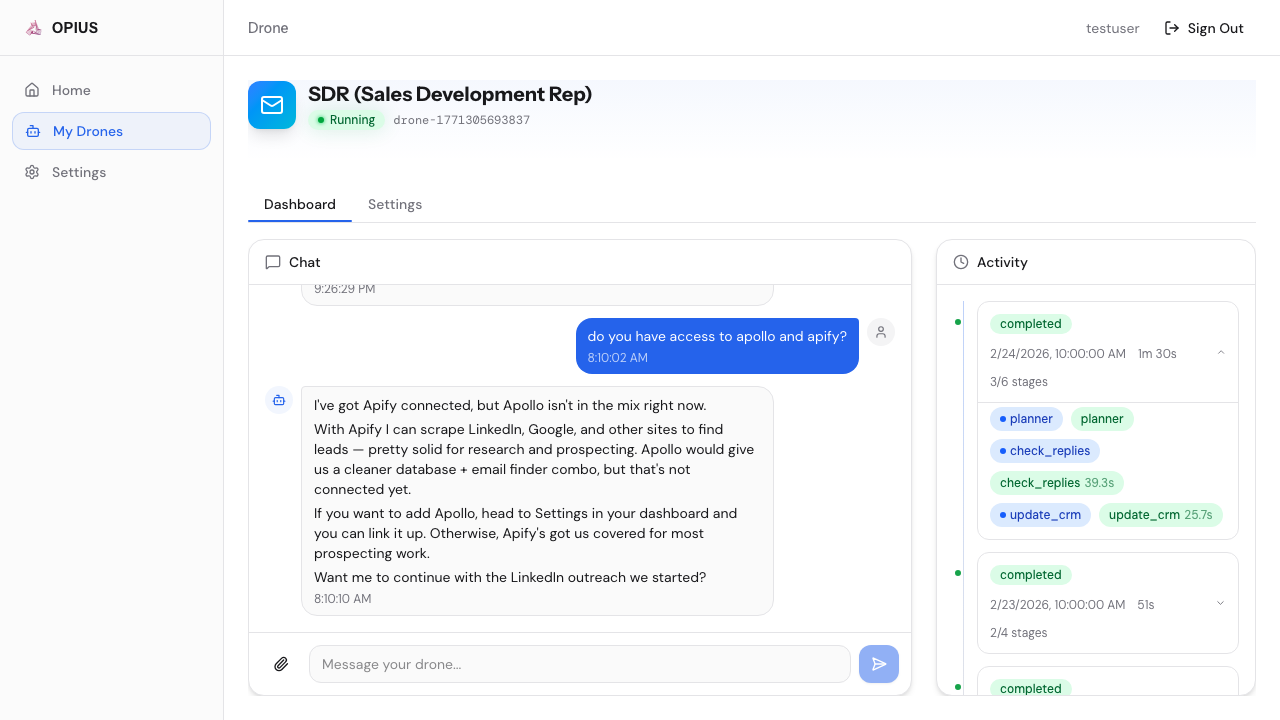
Supported Channels
| Channel | Setup |
|---|---|
| WebChat (Dashboard) | Built-in — no setup needed |
| Slack | Connect bot token in Settings → Channels |
| Telegram | Connect bot token in Settings → Channels |
| Connect via WhatsApp Business API | |
| Discord | Connect bot token in Settings → Channels |
What You Can Do
Give Work Commands
Tell your drone what to do, and it will plan and execute autonomously:
- “Find 20 fintech CTOs in the Bay Area and email them”
- “Apply to 10 remote React developer jobs today”
- “Write a blog post about AI in healthcare”
The drone will present a plan for your approval before executing.
Ask Questions
Query your drone about its work:
- “Did Jane from Acme reply?”
- “How many emails did you send today?”
- “What’s the status of my current run?”
Your drone searches its memory and run history to answer instantly.
Set Rules
Rules are applied instantly (no AI cost) and persist across all future runs:
- “Never contact anyone at Acme Corp”
- “Switch to a more formal tone”
- “Limit daily emails to 30”
- “Always include the calendar link in outreach”
Get Proactive Updates
Your drone sends messages without being asked:
- Run completed — summary of results
- Lead replied — immediate alert with context
- Credential expired — prompt to reconnect in Settings
- Daily summary — end-of-day performance report
How It Works
Your drone uses a dual-layer system:
- Fast listener — Instantly acknowledges your message (you never wait)
- Powerful thinker — Claude Opus handles all reasoning, planning, and memory retrieval
For work commands, the drone creates an execution plan showing:
- What steps it will take
- Which integrations it will use
- Estimated cost
You approve or reject the plan before execution begins.